
Apps by Visionhost International
Small, honest apps.
Nothing leaves your phone.
Zivanor apps do one job well and mind their own business. No account needed, no tracking, no surprises. Everything works on your device. When an app can share or sync something, it asks first and says exactly where it goes.
- AccountNo account needed
- OfflineWorks on your device
- Sharing and syncOff until you turn it on
- Up to 47 languagesOn Android and iOS
The apps
One tool. One job. Done well.
Every Zivanor app shares the same rules and the same icon style, and each says in plain words what it keeps. Learn one, and you know them all.
 On Google Play & App Store
Zivanor QR
QR Scanner & Cards
3 in 1: scan QR codes and barcodes the instant the app opens, keep and share your loyalty cards, and create your own codes and signs to print. Join Wi‑Fi in one tap.
Learn more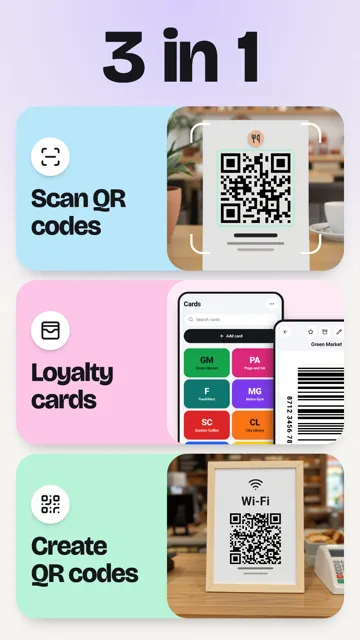
 On Google Play & App Store
Zivanor Gifts
Draw names, wishlists & parties
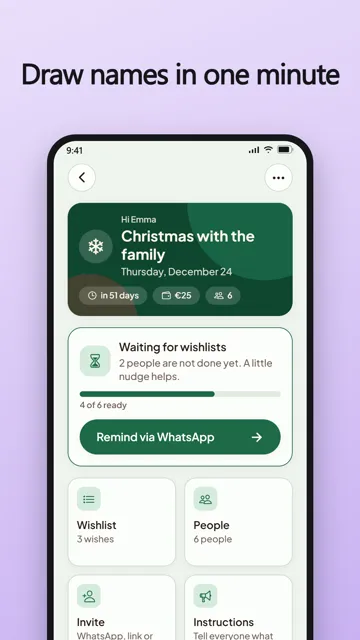
Draw names for Sinterklaas or Secret Santa, share wishlists and gift lists, plan the party with a date poll and a bring list, and keep every birthday in one place. No account needed.
Learn more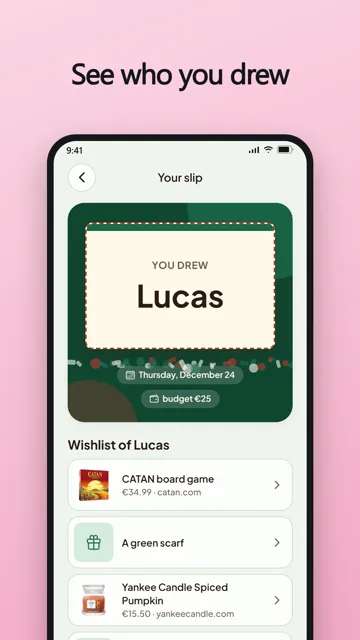
 On Google Play · iOS soon
Days Together
Couples day counter
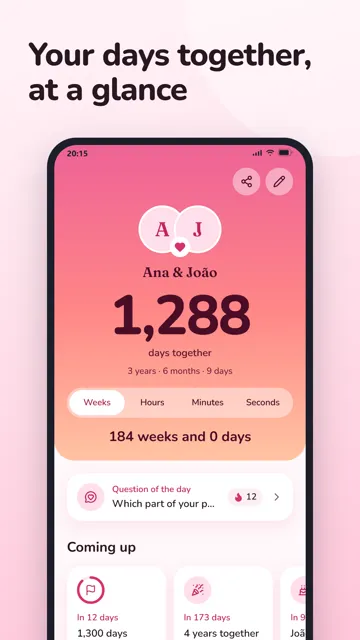
Count the days you have been together, right on your home screen. Get a reminder for every milestone and anniversary, and share the moment as a picture. Your names, dates and photos stay on your phone.
Learn more On Google Play · iOS soon
Pill Reminder
Medication reminders & log
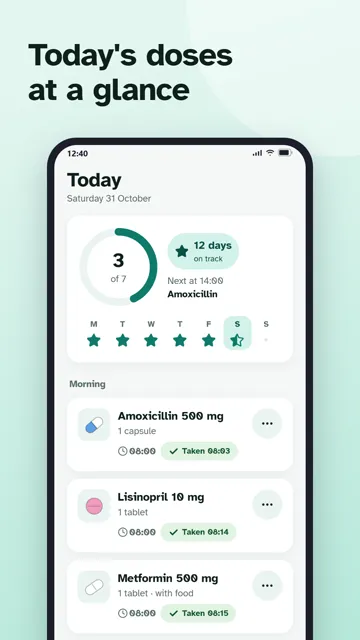
A reminder for every dose, a log of what you took, and a heads-up before you run out. Make a PDF report for your doctor. Your medication data never leaves your phone.
Learn more On Google Play · iOS soon
Baby Tracker
Feeds, diapers & sleep
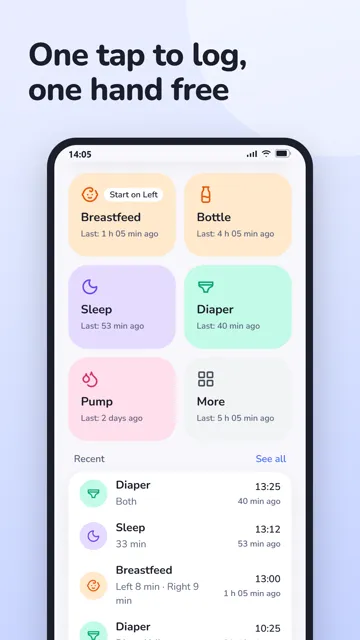
Log feeds, diapers, sleep and pumping in a tap, keep track of growth and temperature, and see the day at a glance. Export a PDF or CSV for your doctor. Everything stays on your phone.
Learn moreHow we build
The Zivanor rules
These apply to every app we ship, not just the first one. If an app ever breaks one, that is a bug.
Offline first
Every app works fully on your device without an account. History, cards and settings live in the app's own storage. Online extras are optional, never required.
Only the permissions it needs
A scanner asks for the camera. That is it. No location, no contacts, no "nearby devices" just to join a Wi‑Fi network.
Online only when you say so
An app contacts a server only after you tap something that says it will. Sharing and syncing are opt‑in, explained in plain words, and off until you turn them on.
47 languages, right to left too
Every app launches in 47 languages, including Arabic, Hebrew, Persian and Urdu with proper right‑to‑left layouts.
No tricks with money
A new app starts without ads. Later, one small banner keeps the free version free, and Pro removes it. Anything that costs money says so before you tap.
Safe by default
Scanned content is treated as untrusted. Suspicious links are flagged before you open them, and nothing is ever run as code.
Why it's free
We build these because we love building them.
Making software that simply works is what we enjoy most. That is why most Zivanor apps are free to use, and why a new app starts without any ads, so you can find out in peace whether it earns a place on your phone.
Good apps still take time: new phones, new Android and iOS versions, 47 languages to keep right. If one of our apps has become useful to you, a small contribution through Pro keeps us working on it, and the ads disappear as a thank you. If you would rather not, keep using the free version. That is fine too.
See Free and Pro in Zivanor QRThe studio
Built in The Hague, for phones everywhere.
Zivanor is the app label of Visionhost International B.V., a software company in The Hague, the Netherlands. Every app is designed, built and supported in-house, so the people who answer your email are the people who can fix the bug.
- Company
- Visionhost International B.V.
- Based in
- The Hague, the Netherlands
- Apps
- Five, on Android and iOS, in up to 47 languages
- Support
- support@zivanor.com
- Press
- Press kits · press@zivanor.com
Questions, ideas, a bug?
One mailbox for every Zivanor app. A real person reads it, and your message is used only to answer you.